
Build Awesome Websites With Divi Pixel
Layout Library

Since Divi Pixel 2.58.0, all Divi Pixel layout packs live inside the plugin. There's no separate importer plugin to install and no files to download. Import a whole website from the Divi Pixel dashboard, or add a single page or section while you build in the Divi 5 Visual Builder.
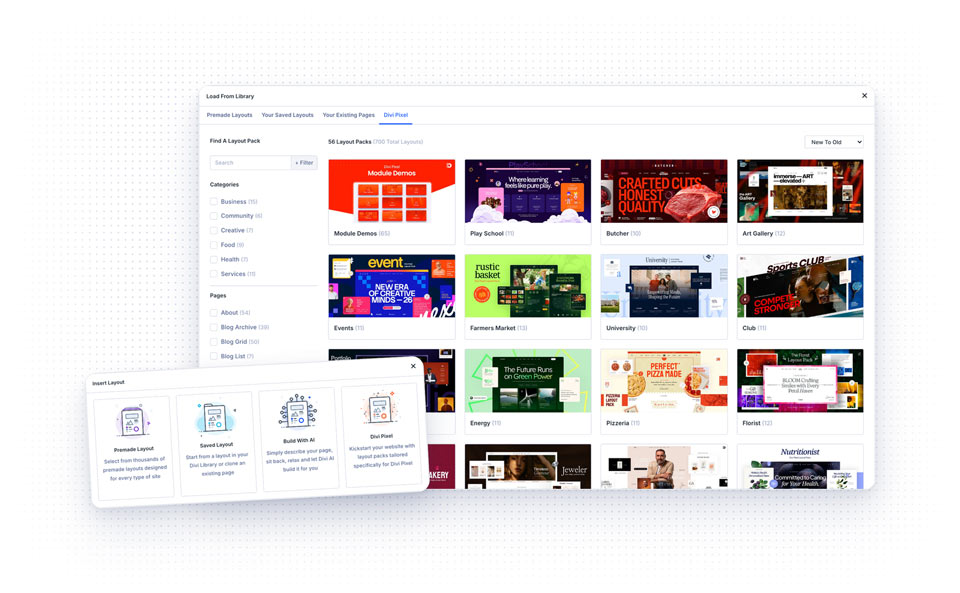
NOTE: The Layout Library needs Divi 5 and Divi Pixel 2.58.0 or newer. Update Divi Pixel from Dashboard → Updates if you don't see it.
1. Import a Whole Layout Pack
Import Pack turns a fresh WordPress install into a complete copy of the demo website, with all pages, menus, templates and settings.
- Go to Divi → Divi Pixel and open Layouts in the top bar
- Find a layout pack by category or search, and open it
- Click Import Pack
- Read what the import changes, tick the backup confirmation and click Import Pack again
- Keep the window open until the import finishes
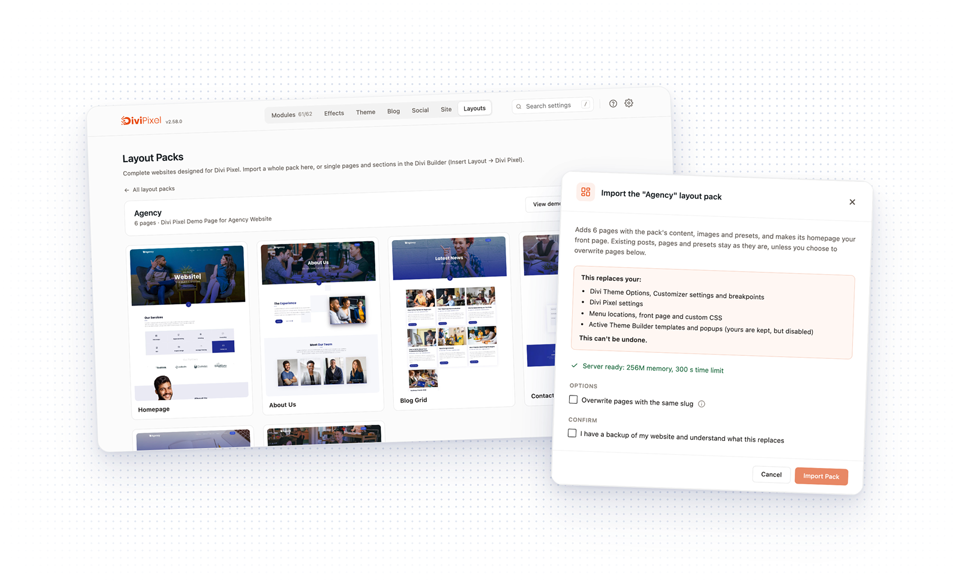
The import adds the pack's pages, blog posts, projects, testimonials, FAQ entries and popups, its menus and Theme Builder templates, the images, and sets the pack's homepage as your front page. It also replaces your Divi Theme Options, Customizer settings, breakpoints, Divi Pixel settings, menu locations and custom CSS, so the result looks like the demo.
Your existing posts, pages and presets stay as they are. Your Theme Builder templates and popups are kept, but disabled. Turn on Overwrite pages with the same slug if you want pack pages to replace your own pages instead of creating copies.
NOTE: Import Pack replaces site-wide settings and can't be undone. Use it on a new website, or make a full backup first. On a live website, import single pages or sections from the builder instead.
2. Add a Page in the Visual Builder
- Open a page in the Divi Visual Builder
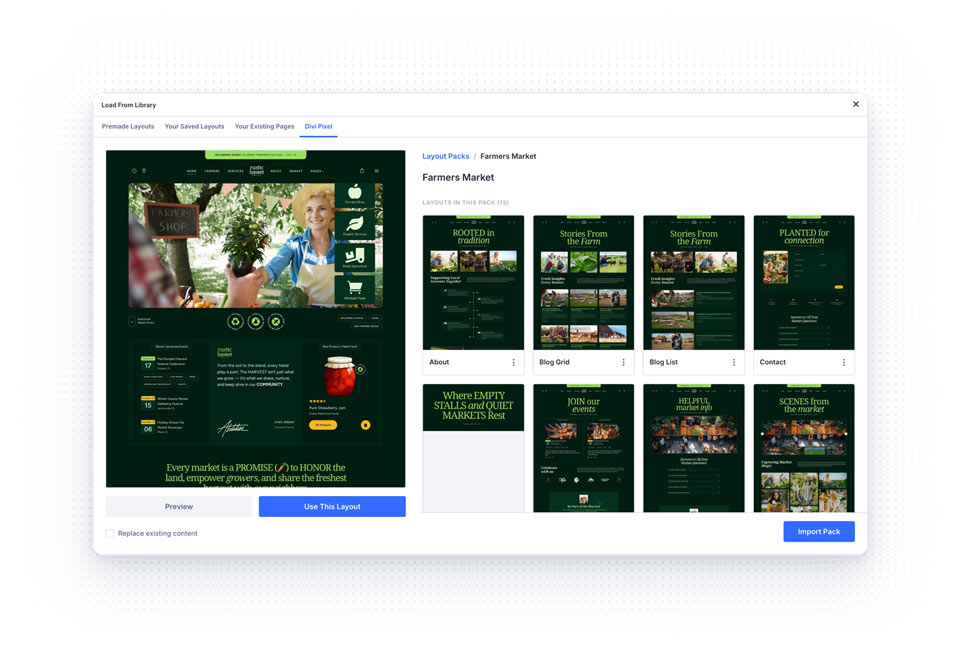
- On a new page, choose Insert Layout → Divi Pixel. On a page with content, open Load From Library and the Divi Pixel tab
- Open a layout pack and pick a page
- Click Preview to see it on your own website, without adding anything
- Click Use This Layout to import the whole page, or View Sections to pick single sections from it
The layout is added below your content. Turn on Replace existing content to start with an empty page instead.
3. Add a Section in the Visual Builder
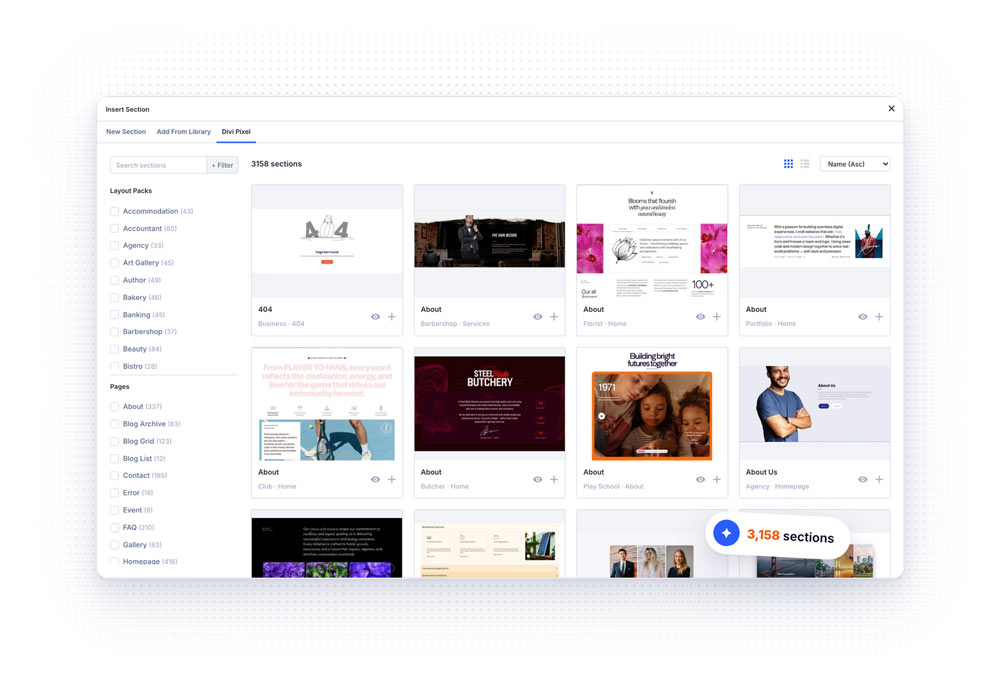
- Click + where you want the new section
- Open the Divi Pixel tab
- Search, or filter the sections by Layout Pack and Page
- Hover a section and click Insert
4. What Comes With a Layout
Images are downloaded to your own Media Library, so nothing on your website depends on our demo server. Divi Library layouts the page needs, like the content of a tab or a carousel slide, are created for you.
Most of our layouts use plain colors and styles. If a layout brings its own design assets, like presets, global colors or Divi Library layouts, the builder asks which of them to import.
Server Requirements
The import checks your server before it starts and warns you if the limits are low. For a whole layout pack we recommend:
• memory_limit (256M)
• max_execution_time (300)
Single pages and sections import fine with the WordPress defaults. If an import keeps failing, ask your host to raise these values.
Still on Divi 4?
The Layout Library works with Divi 5 only. On Divi 4, you can still install the legacy Divi Pixel Layout Importer plugin: go to Divi → Divi Pixel, click the gear icon, open Import/Export and click Install Importer.