Divi Pixel Update: 2 New Divi 5 Modules + Builder Upgrades

We continue improving Divi Pixel to provide the best possible experience in Divi 5. In our previous release, we finalized the Divi Pixel conversion to Divi 5 and shipped the last remaining module — Image Slider. With that milestone behind us, all Divi Pixel modules — 50+ of them — are now fully compatible with Divi 5.
This release marks the start of the next chapter. Instead of porting what already existed, we're now building new modules designed exclusively for the Divi 5 framework. This update brings two of them — Circular Text and Reveal Text — along with a major overhaul of a feature you already know: Popup Maker, now fixed and fully configurable inside the Visual Builder.
And because we always listen to customer feedback, this release also includes a number of important fixes — among them a fix for global colors occasionally not working in Divi Pixel modules.
Let's take a look at what's new.
Contents
Introducing Circular Text for Divi 5
After completing the full migration, we started building brand new modules exclusively for the Divi 5 framework. Circular Text is the first of them.
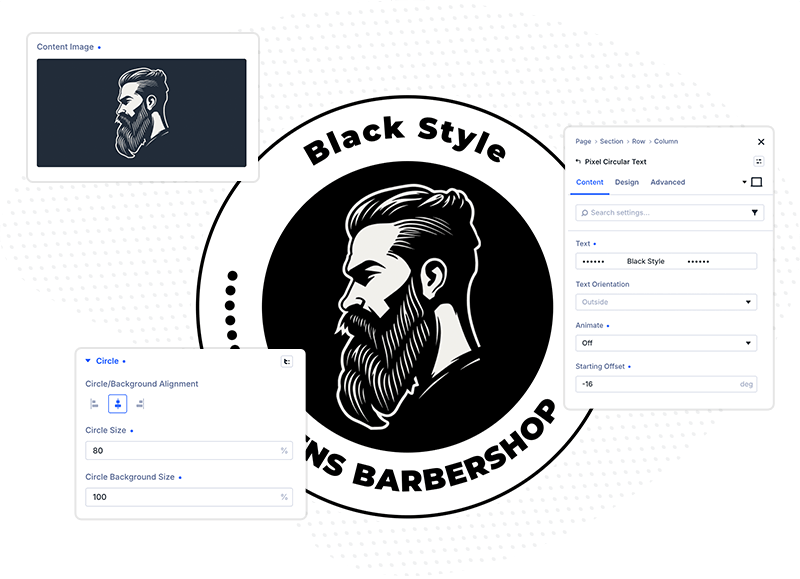
The module gives you the ability to create text that flows along a circular path — perfect for circular ribbons, badges, seals, and rotating text-and-image combinations that instantly draw the eye.
Circular Text comes with the settings you need to make the effect your own:
- Text orientation — control how the letters sit along the circle
- Animation direction — rotate clockwise or counterclockwise
- Animation speed — from a slow, subtle drift to a fast spin
- Animate on scroll — tie the rotation to the visitor's scroll position for a dynamic, interactive feel
Drop an image in the center, wrap it with rotating text, and you have a badge or ribbon that looks custom-built — without a single line of code.
Introducing Reveal Text for Divi 5
Reveal Text is the second creative module in this release, and it's built to help you create engaging sections where text appears with impact rather than simply sitting on the page.
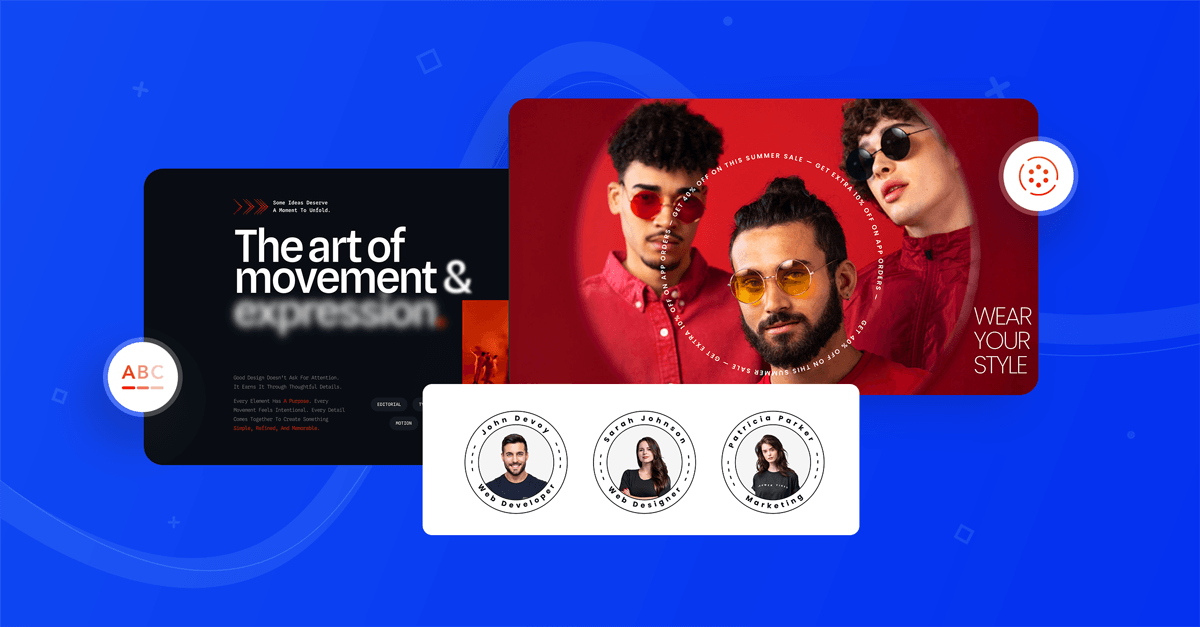
You can trigger the reveal on scroll, on page load, or when the text enters the viewport — whichever fits the rhythm of your layout.
The module ships with four different reveal effects:
- Blur — text sharpens into focus
- Fade — a smooth, classic fade-in
- Color — text shifts into its final color as it reveals
- Highlight — text is revealed with a highlight sweep
On top of that, you control how the text is split as it reveals — by block, word, line, or letter. Letter-by-letter reveals feel precise and typographic; line-by-line reveals feel editorial and calm.
There's also a playback feature built right into the module. Instead of saving, exiting the builder, and reloading the page to check your work, you can replay the reveal directly in the Visual Builder and see the effect exactly as visitors will. Tweak the effect, the split type, or the timing, hit play, and watch it again — dialing in the animation takes seconds.
Reveal Text is ideal for headlines, mission statements, quotes, and any block of copy you don't want visitors to scroll past unnoticed.
Popup Maker Settings Now in the Visual Builder
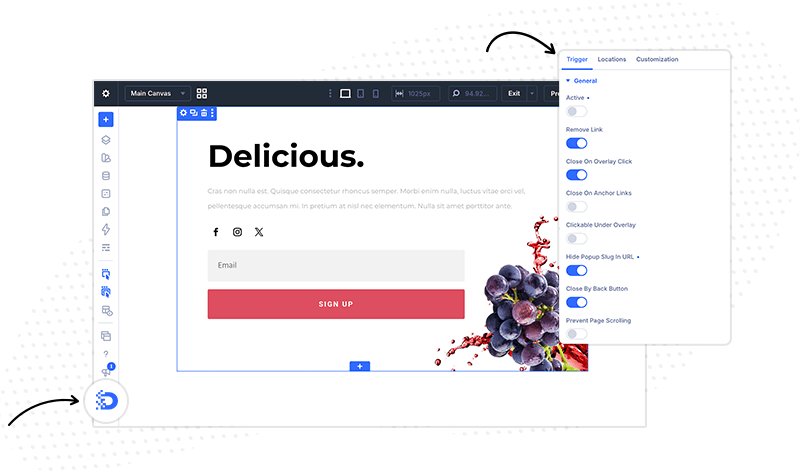
Popup Maker got the biggest overhaul in this release — and the most important part isn't a new setting, it's a fix. Since Divi 5, Popup Maker was conflicting with Divi's dynamic CSS, which could result in mixed or broken styles on pages using popups. It's the issue you told us about most, and it's the one we're happiest to close: we've reworked how Popup Maker loads its styles so it plays nicely with Divi 5's dynamic CSS. Popups and the pages they live on now render with the styling you designed — no bleed, no missing rules, no surprises after publishing.
The second part of the overhaul is where you configure popups. Until now, popup configuration lived in meta boxes, where you'd adjust triggers, periodicity, location, and the rest of the settings outside of the builder. In this release, Popup Maker gets its own dedicated settings group in the Visual Builder — every option, from triggers to periodicity to location, is now available right inside the builder interface.
Setting up a popup is finally easy and straightforward: you don't need to leave the Visual Builder to configure popups anymore — and the popup you design is the popup your visitors see.
Global Colors Fixed in 27 Divi Pixel Modules
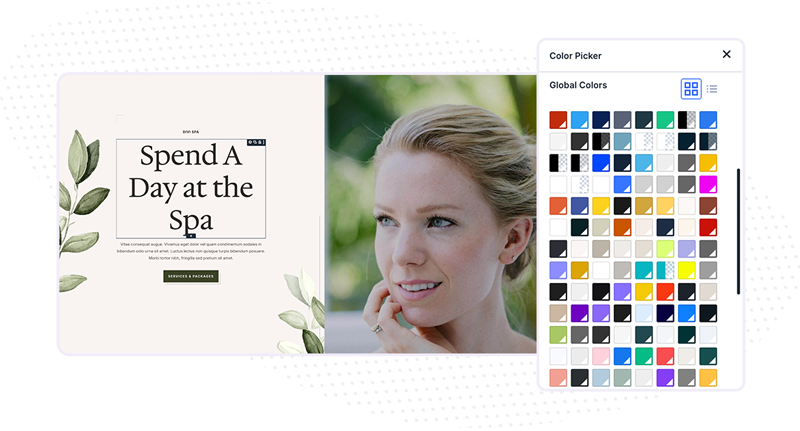
are one of the features that make working in Divi so much easier. Instead of picking the same hex value over and over, you build a dynamic palette of predefined colors and apply them across your whole site. Because global colors are linked rather than static, updating one color instantly updates every element using it — so your entire brand palette can change in a few moments, and your site stays visually consistent by design.
That only works if every module respects them. In this release we fixed an issue where global colors were occasionally not applied correctly in Divi Pixel modules — the fix covers 27 modules.
Global colors now behave exactly as expected across those modules: assign one from the Global tab in the color picker, and it stays linked. Update the color in your palette, and every Divi Pixel element using it updates with the rest of your site.
With all 50+ modules fully Divi 5 compatible, our focus now shifts to building new tools that take full advantage of what Divi 5 makes possible — and there's more on the way.
Update Divi Pixel to the latest version to try everything in this release, and join the Divi Pixel Community to share what you build, get help, and tell us which module we should build next.

Maciej Ekstedt
Maciej, co-founder of Divi Pixel, is a passionate web designer with over 15 years of experience. He has developed dozens of loved Divi products that have earned recognition from the global community. When he's not working on new ideas, he enjoys gardening, walking his dog, and spending time with friends.
Enhance your Divi Theme with Custom Settings and New Modules. Start Creating Awesome Websites with the Divi Pixel
We offer a 14 Day Money Back Guarantee, so joining is Risk-Free!