Gleam Review: Run Black Friday Giveaways That Grow Your Divi Site’s Email List

Disclosure: This article contains affiliate links. If you sign up for a paid Gleam plan through one of them, we earn a commission at no extra cost to you. We only write about tools we'd use on our own sites.
Black Friday 2026 falls on November 27, but most shoppers don't wait for the day itself. Early deals start in late October, and by the time your sale goes live, everyone's inbox is full of discount codes. The stores that do well are the ones that already have a list of people waiting for their offer.
That's where a giveaway helps. You run it a few weeks before the sale, people enter by joining your newsletter or following you, and by Black Friday you have a bigger list to send your deal to. We've been looking at Gleam for this, and in this review we'll cover what it does, what it costs and how to add it to a Divi page.
Contents
What is Gleam?
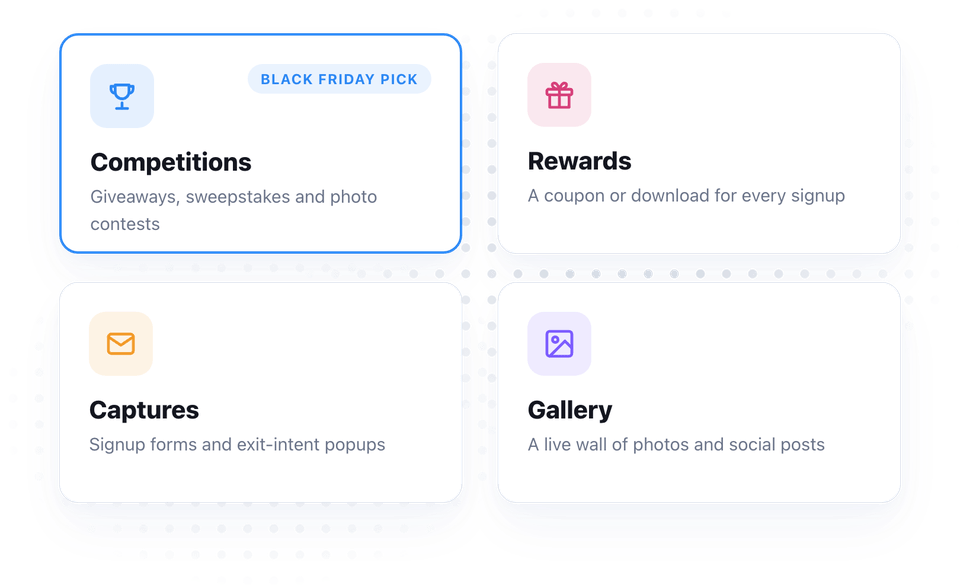
Gleam is a hosted platform for running marketing campaigns. You build the campaign on gleam.io, then embed it on your own site or send people to a landing page Gleam hosts for you. It's split into four apps:
- Competitions — giveaways, sweepstakes, photo contests and instant-win campaigns. This is the one most people come for.
- Rewards — give people a coupon, download or other reward when they complete an action, like signing up or sharing.
- Captures — email signup forms and popups with exit-intent, page and geo targeting.
- Gallery — a social wall that pulls in photos and posts from social media or from your contest entries.
You can buy each app on its own or get all four in the Full Package. For a Black Friday giveaway, Competitions is all you need.
How a Gleam giveaway works
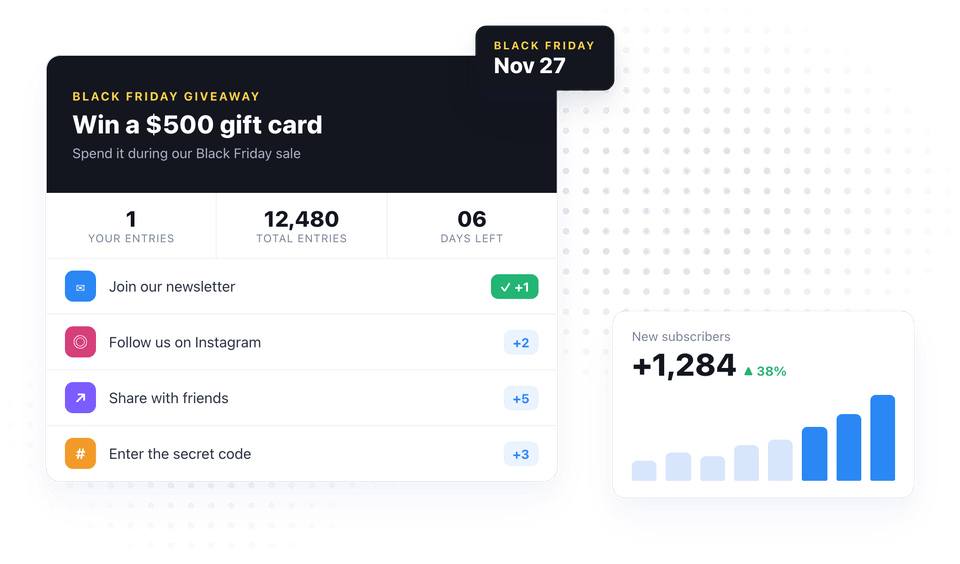
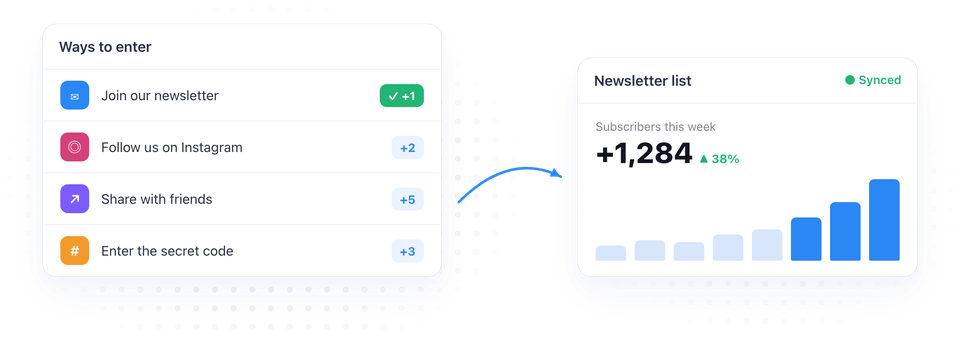
You pick a prize and a set of entry actions. Each action earns the visitor one or more entries, so they can enter once with an email address and then earn more entries by doing more:
- Join the newsletter — the main one, and the reason to run a giveaway before Black Friday. Gleam connects to Mailchimp and other email tools, so new entrants land straight in your list.
- Follow or visit — follow you on Instagram, Facebook, YouTube or X, or visit a page on your site.
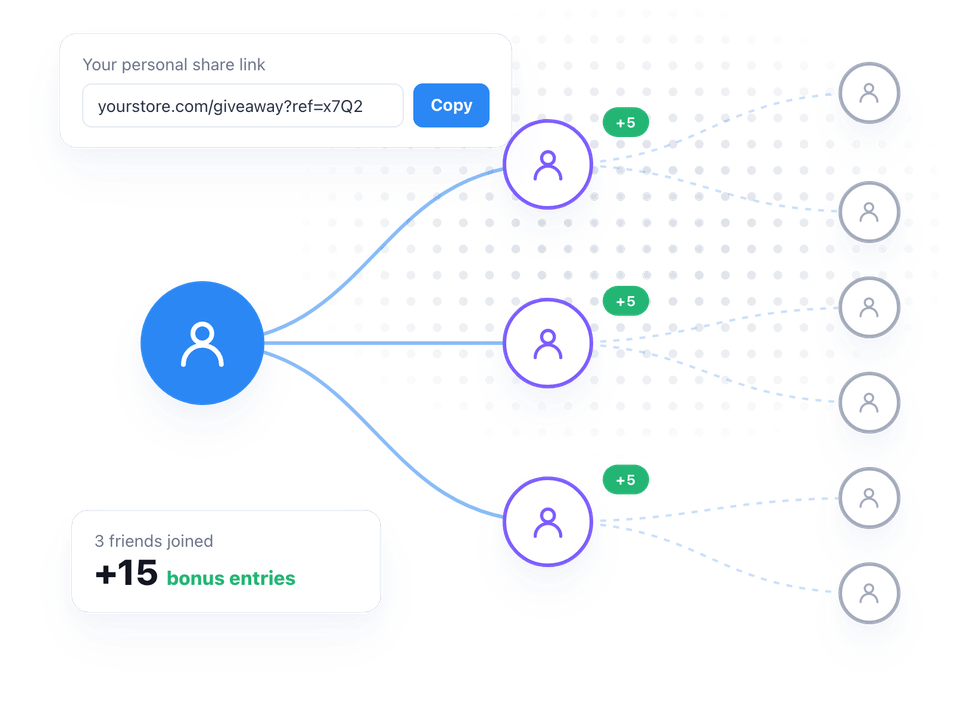
- Share with friends — with the Viral Share action, every entrant gets a personal link and earns bonus entries for each friend who enters through it.
- Enter a secret code — hide codes on your product pages or in an email and turn the giveaway into a scavenger hunt.
When the giveaway ends, Gleam draws the winners at random from all valid entries. You can also draw a new winner every day, which is handy for a "7 Days of Black Friday" campaign.
What we like
- It runs on your own site. You paste one embed code into a page and the giveaway shows up right there. There's no limit on how many pages or sites you embed it on, so you can also hand the code to a partner.
- It actually grows your list. The email signup is built in and syncs to your email tool, so you don't have to export and import CSV files after the contest.
- Viral sharing. Entrants have a reason to tell their friends, which brings in people you wouldn't reach otherwise.
- The fair-draw part is handled for you. Gleam picks winners at random and can restrict entries by country, which matters if your prize can only ship to certain places.
- Ready-made templates. Gleam has templates for Black Friday sweepstakes, early-access registration and 7-day giveaways, so you can start from one instead of a blank campaign.
What to know before you sign up
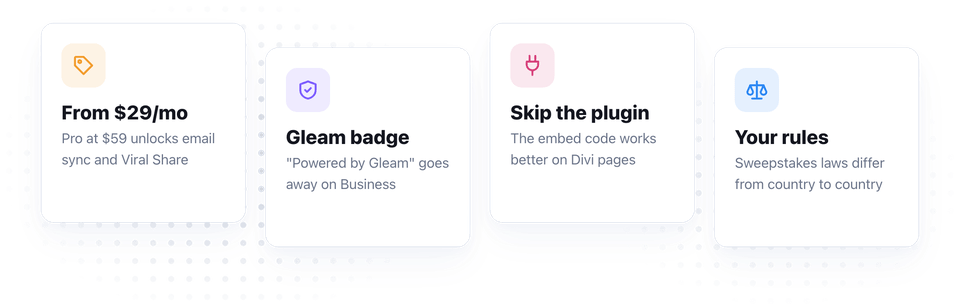
- It's not the cheapest tool. Competitions starts at $29/month on the Hobby plan, and you need Pro ($59/month) for the features most stores want: Viral Share, email integrations, location restrictions and full entrant data. Paying yearly is cheaper — Pro works out at $468/year, about $39/month.
- The "Powered by Gleam" badge stays on Hobby and Pro. You can remove it from the Business plan ($179/month) up.
- Skip the WordPress plugin. The Gleam plugin on WordPress.org hasn't been updated since 2018. You don't need it — the embed code works on any Divi page, as we show below.
- Giveaway rules are your job. Sweepstakes laws differ from country to country. Gleam gives you a place for terms and conditions, but you still have to write them.
Gleam pricing in 2026
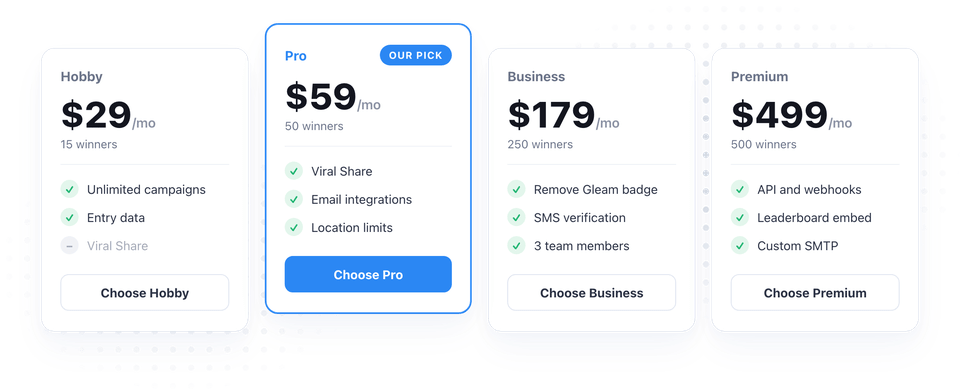
These are the monthly prices for the Competitions app from as of October 2026. Gleam advertises savings of up to 65% when you pay yearly.
| Plan | Price | Winners | Good to know |
|---|---|---|---|
| Hobby | $29/mo | 15 | Unlimited campaigns, entry data |
| Pro | $59/mo | 50 | Viral Share, email integrations, location limits, full user data |
| Business | $179/mo | 250 | Remove "Powered by Gleam", SMS verification, 3 team members |
| Premium | $499/mo | 500 | API, webhooks, leaderboard embed, custom SMTP |
Rewards, Captures and Gallery each start at $49/month, and the Full Package with the Pro version of all four apps is $119/month. Prices change, so check before you buy.
Our pick for most Divi stores: Competitions Pro. It's the cheapest plan with email integrations and Viral Share, and those two are what turn a giveaway into a bigger list.
Four Black Friday giveaway ideas
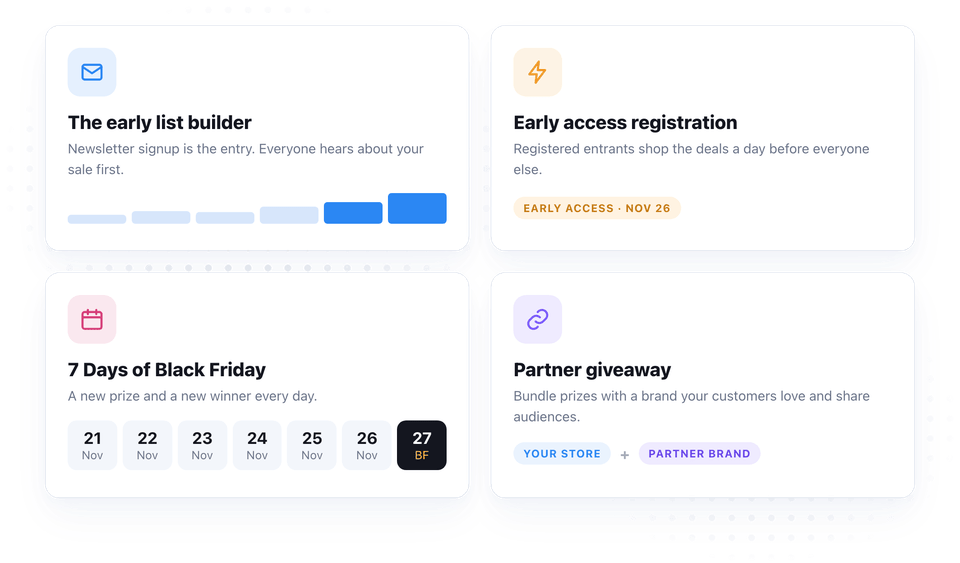
- The early list builder. Start a sweepstakes in the first week of November with "Join the newsletter" as the required action. Everyone who enters hears about your sale first.
- Early access registration. Let people register for early access to the sale, give them the deals a day before everyone else, and enter them to win a gift card to spend during the sale.
- 7 Days of Black Friday. Give away a smaller prize every day in the week before Black Friday. Gleam draws a winner each day, and people keep coming back to your site to check.
- Partner giveaway. Team up with a brand your customers also buy from, bundle your prizes and embed the same giveaway on both sites. You both get the other's audience.
How to add a Gleam giveaway to your Divi site
Once your giveaway is set up on Gleam, open its Install options, choose Embed in a Page or Blog Post and copy the embed code. Then:
- Open the page in the Divi Visual Builder
- Add a Code module where you want the giveaway to appear
- Paste the Gleam embed code into the module's Code field
- Save the page and open it on the front-end — the giveaway loads right there
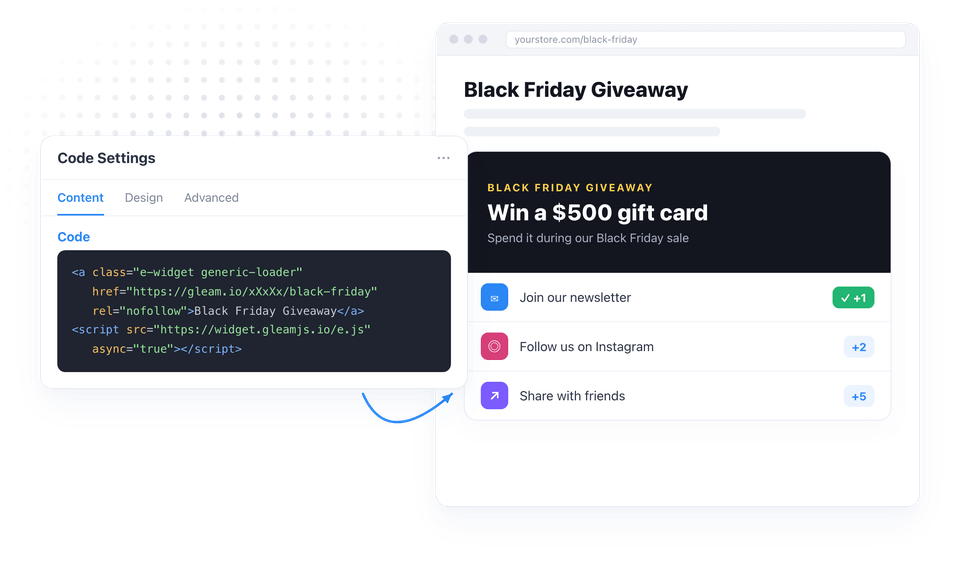
The widget loads from Gleam's servers, so it may only show a link in the builder. Check it on the front-end.
Put the giveaway in a popup with Divi Pixel
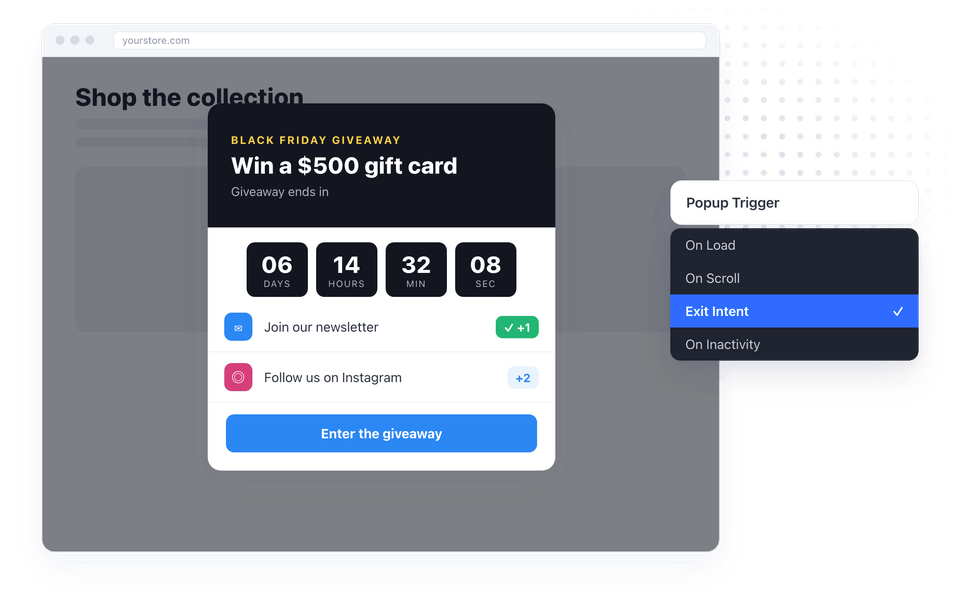
A giveaway that sits at the bottom of a page is easy to miss. If you use , you can put it in a popup instead:
- Build a section with the Code module from the steps above, and add a Pixel Countdown module counting down to the end of the giveaway
- Turn that section into a popup with Divi Pixel's Popup Maker
- Set the trigger: exit intent to catch visitors as they leave, on scroll once they've read part of the page, or on load on your Black Friday landing page
The countdown adds urgency, and the popup makes sure every visitor sees the giveaway at least once.
Our Verdict
Gleam is a solid choice if you want to grow your email list before Black Friday. It handles entries, sharing, winner draws and the sync to your email tool, and the embed code drops straight into a Divi page. It isn't cheap, and the plugin is out of date, but neither matters much: the Pro plan pays for itself if the giveaway brings you even a handful of extra sales, and the embed code works better than the plugin anyway.
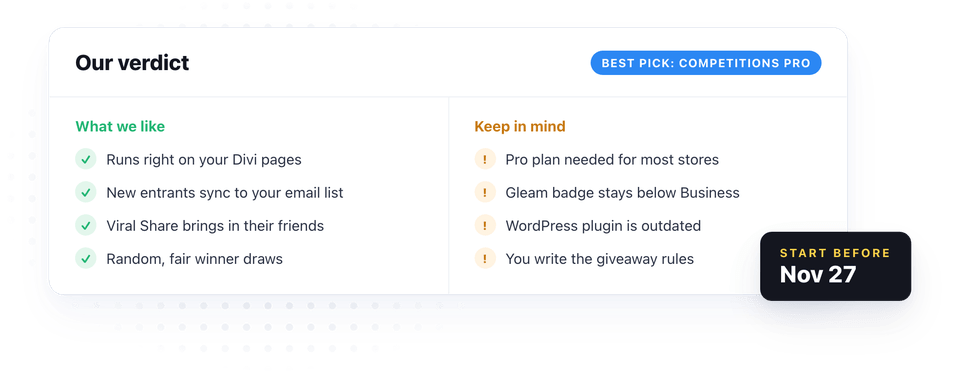
If you're planning a Black Friday sale, the time to start your giveaway is now — a few weeks of list building before November 27 makes a big difference on the day.

Maciej Ekstedt
Maciej, co-founder of Divi Pixel, is a passionate web designer with over 15 years of experience. He has developed dozens of loved Divi products that have earned recognition from the global community. When he's not working on new ideas, he enjoys gardening, walking his dog, and spending time with friends.
Enhance your Divi Theme with Custom Settings and New Modules. Start Creating Awesome Websites with the Divi Pixel
We offer a 14 Day Money Back Guarantee, so joining is Risk-Free!